Signs Your Business Needs Custom Software
Spot the clearest signs your business needs custom software, including spreadsheet dependency, process gaps between tools, and reporting that never feels trustworthy.
Overview
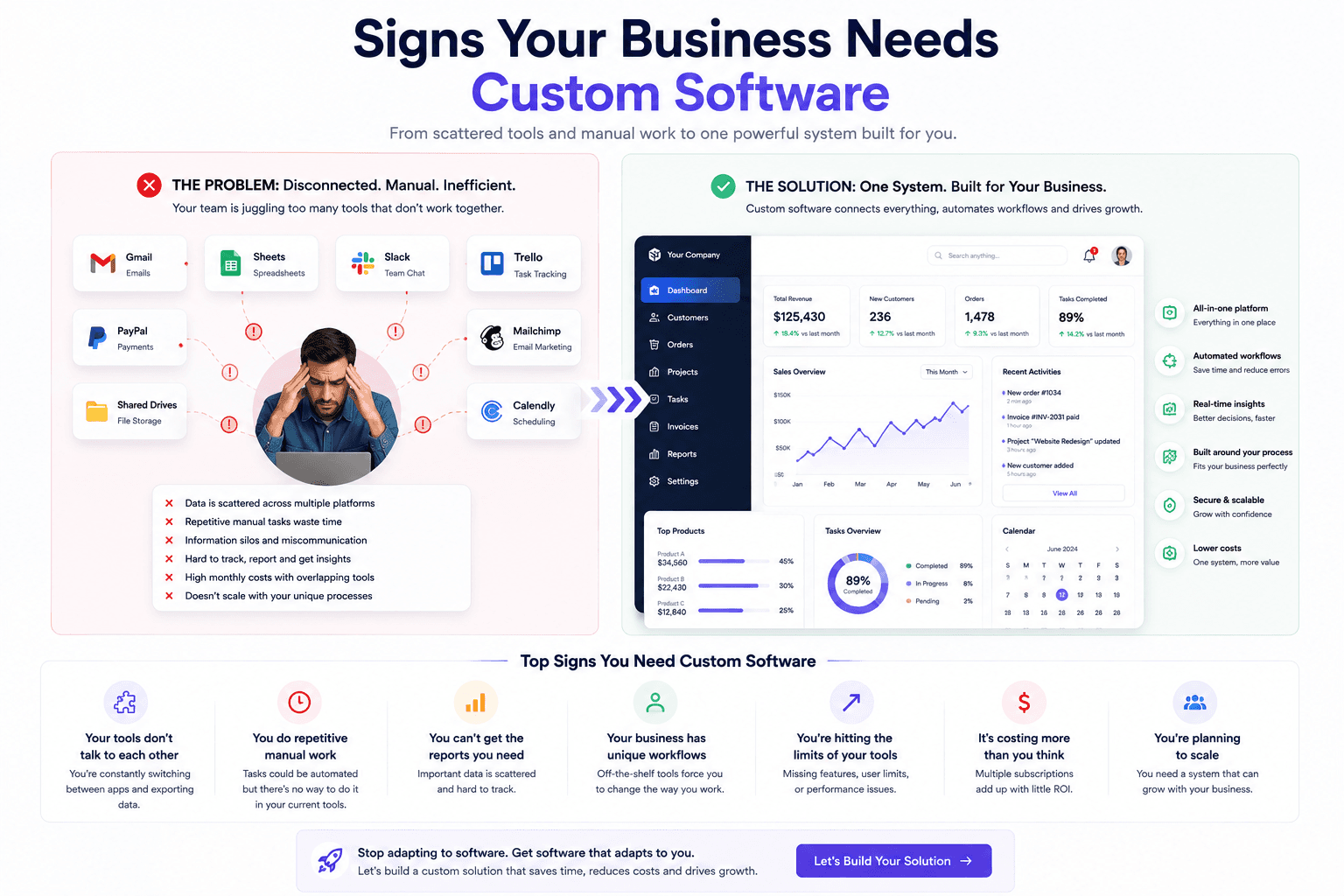
Businesses usually realise they need custom software when daily work becomes a patchwork of spreadsheets, WhatsApp messages, manual reminders, and systems that do not share the same reality.
Custom software is useful when existing tools force the business to work around limitations. The best systems match real workflows, roles, approvals, reporting needs, integrations, and long-term maintenance plans.
Why It Matters
The signal is not simply that the team wants something custom. The real signal is recurring operational friction: duplicate entry, weak reporting, unclear ownership, and delays caused by tool limitations rather than business demand.
Look for patterns that keep repeating across teams: manual reconciliation, missing status visibility, approval confusion, or one person acting as the human bridge between systems.
Examples In Practice
If managers need three exports and a manual spreadsheet merge just to see weekly sales and pending work, the business is already paying an invisible tax for disconnected systems.
If staff maintain customer records in both a CRM and a spreadsheet because neither alone reflects the full process, it is a sign the current stack no longer fits the workflow.
What A Good Decision Looks Like
The right answer is rarely the most complicated version of signs your business needs custom software. A sensible decision starts with the problem people are experiencing today, the outcome the business needs, and the constraints around budget, data, team capacity, and timing. This makes it easier to separate a useful investment from a feature that only sounds impressive in a planning meeting.
Before committing, write down what success should look like in day-to-day work. It could be quicker lead follow-up, fewer support handoffs, clearer reporting, a smoother buying journey, or less time spent correcting errors. Give that outcome an owner and a simple baseline so the team can compare the result after launch instead of relying on instinct alone.
It also helps to speak with the people who will use the system every day. They usually know which exceptions matter, where information goes missing, and which shortcuts keep work moving. Bringing that context into discovery produces a more practical solution and makes adoption much easier once the work goes live.
How To Approach It
A good implementation begins with a short discovery phase. Map the current process from the first trigger to the final outcome, including the people involved, existing tools, data quality, approval points, and the moments where work slows down. This gives the project a shared source of truth before design or development begins.
From there, shape the work into a realistic roadmap: define the smallest valuable version, design the user flow, build and test it with real scenarios, launch carefully, and improve from evidence. A phased approach protects the budget, reveals issues earlier, and avoids spending months on features that do not change the business outcome.
Keep a human review path for important decisions, especially where money, customer commitments, or sensitive information is involved. Clear ownership, useful reporting, and regular feedback after launch are what turn a one-time project into a system the team can depend on.
- Start with the business outcome before choosing tools.
- Map the current workflow, users, data, risks, and approval points.
- Build a focused version first, then improve from real usage.
- Measure speed, conversion, reliability, support load, and operational savings.
- Keep the system maintainable with clear architecture and documentation.
Where STEXRA Can Help
STEXRA typically validates these signals in discovery workshops so clients can separate a genuine system need from a temporary process problem.
STEXRA can help with Custom Software Development, Custom CRM Development, Custom ERP Development, and related work such as AI workflow automation, website design, web application development, custom software development, API development, and business automation.